GEPCO Bill Online | Check Your Electricity Bill instantly May 2026
Waiting for your GEPCO bill to arrive at your doorstep can be really frustrating, and if it arrives late or you lose it before the due date, things get even more stressful. To avoid this hassle, it is always a good idea to have quick access to your bill whenever you need it.
You can check your GEPCO bill online anytime, anywhere and also save a duplicate copy for future use. All you need is your 14 digit Reference Number which is printed on your bill and is unique to every consumer. Enter your Reference Number below and check your GEPCO bill instantly — no waiting, no stress!
Check your GEPCO Bill Online
In this digital world, waiting for your electricity bill to arrive at your doorstep is just a waste of time. Most of the time the bill arrives when the due date is already very close, and missing it means paying extra charges every month which is really frustrating for every household.
Checking your GEPCO bill online solves this problem. You can view your bill right after the meter reading, understand your monthly units consumed, and manage your electricity cost before the due date from the comfort of your home.
How to Check GEPCO Bill Online?
Nobody likes waiting for their electricity bill to show up at their door anymore. People want to know their exact billing amount and due date well in time, so they can plan ahead without any last minute stress. You can check your GEPCO bill online instantly right here with just a few clicks, simply follow the steps below:
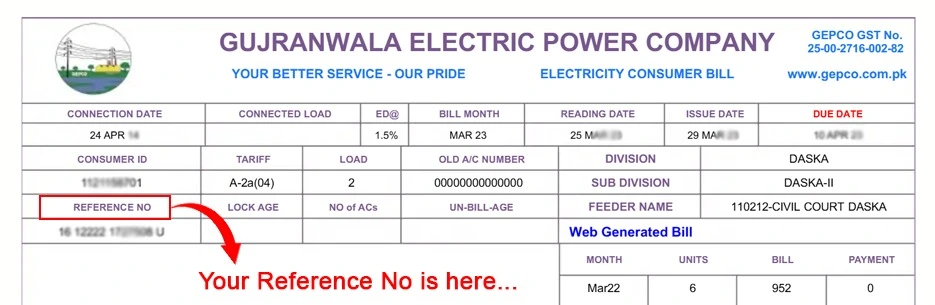
Step 1: Locate Your 14-Digit Reference Number
Your Reference Number is a unique 14-digit ID assigned to every GEPCO consumer. You can find it printed on your electricity bill, right next to your Consumer ID in the top right corner of the bill.
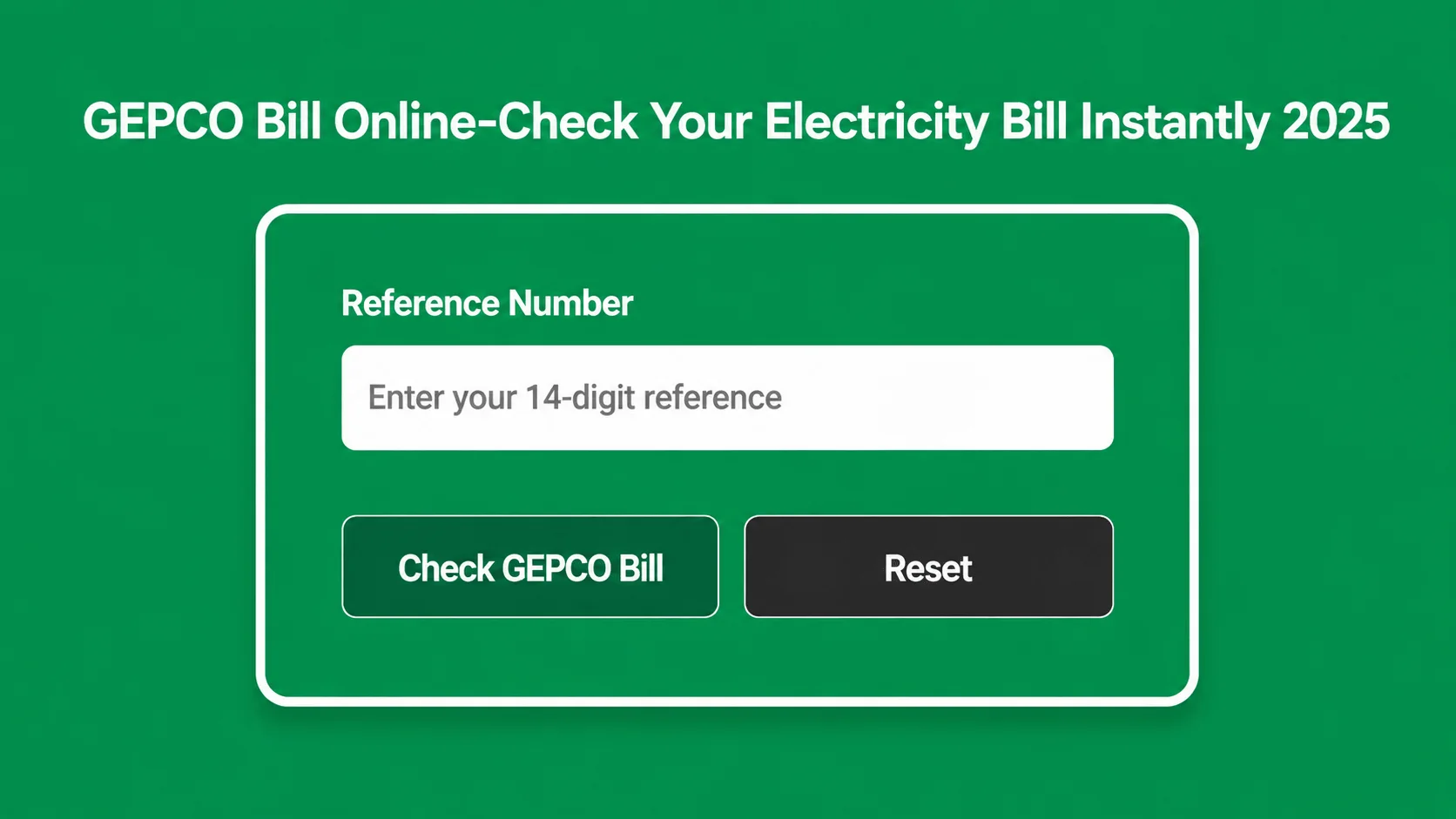
Step 2: Enter Your Reference Number
Simply type your 14 digit Reference Number in the input field shown above and hit the search button to instantly view your GEPCO bill.
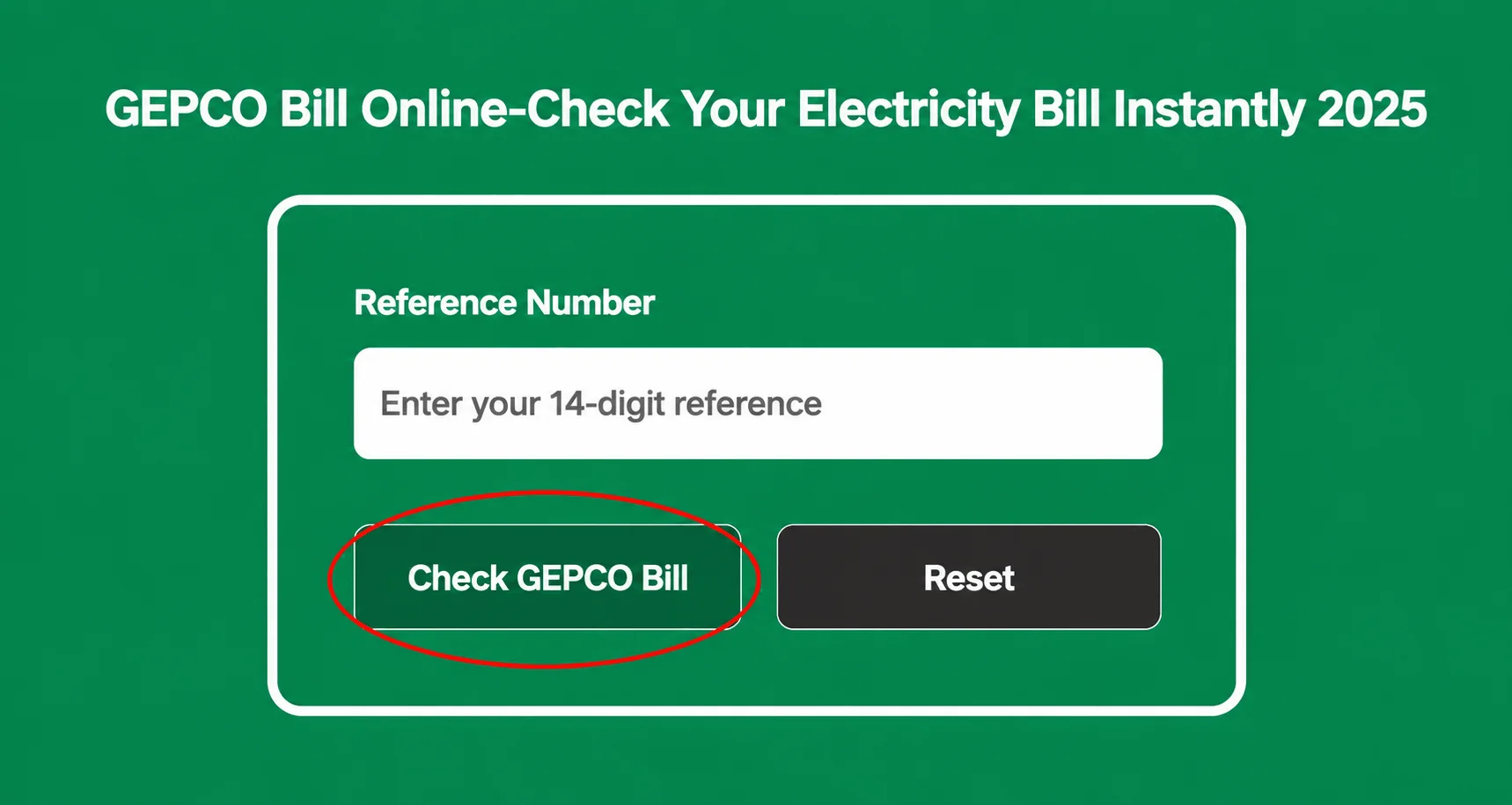
Step 3: Click on “Check GEPCO Bill” Button
Once you have entered your Reference Number correctly, just click the “Check GEPCO Bill” button and your bill will appear on the screen within seconds.
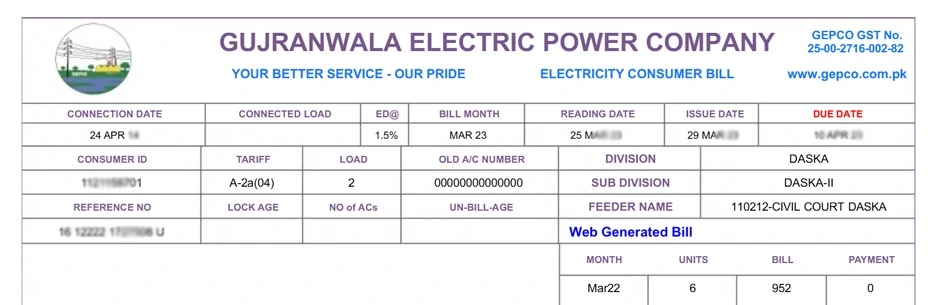
Step 4: Save or Print Your Duplicate Bill
Once your bill appears on the screen, you can save it as a PDF or take a screenshot to keep it for later use. You can then print it anytime and submit your payment at any nearest retailer from anywhere in the world.
Step 5: Check Unit Prices
You can check the unit prices as well on the official GEPCO page or electricity new connection page. Checking unit prices for estimating the impact of your commercial, industrial or domestic load on your billing prices. This makes your GEPCO Bill History even more useful, as you can cross check past bills against current unit rates to better understand your consumption pattern over time.
Reference Number
How to Pay Bill Online?
GEPCO offers multiple easy ways to pay your bill online:
- Through mobile banking apps like Easypaisa and JazzCash.
- Through your bank branch or online banking app.
Online Bill Payment
Monthly bill payments are no longer a hassle. GEPCO allows its consumers to Pay GEPCO Bill Online anytime and anywhere through mobile wallets, banking apps or digital banking facility. You can pay your bill via:
Mobile wallets
You can pay your GEPCO bill through any mobile wallet app by simply entering your Reference Number to confirm the bill and then proceed with the payment.
Banking Apps
Paying your bill through banking apps is also a very easy and reliable method. You can use any of your bank’s official app anytime to complete your payment quickly with minimal charges and 24/7 service availability.
GEPCO Bill – Detailed Overview
Lower Your GEPCO Bill With These Easy Tips
A few simple changes can help you save electricity and reduce your bill every month:
How to Get a New Connection from GEPCO?
If you want to apply for a new electricity connection, you can visit this website (gepconlinebill.pk) to apply online. You can also apply manually by visiting your nearest GEPCO office and submitting your application there. For complete details on how to apply, visit the GEPCO New Connection page.ABOUT GEPCO
GEPCO stands for Gujranwala Electric Power Company, which is responsible for supplying electricity to all the areas that fall under its jurisdiction.
When was GEPCO founded?
GEPCO was incorporated on 25th April 1998 and obtained certificate on commencement of business on 5th June 1998. Management and Administration is entrusted to a board of directors. Earlier in the 1960s, the Govt.
GEPCO Capacity
GEPCO capacity relates to the company’s ability to safely supply the required amount of electricity . they generate and provide to their users. By may 2021 GEPCO had 3.909 million consumers.
Nature of Business
It is a public limited company responsible for power distribution across its jurisdiction.
Vision and mission
Gujranwala electric and power company is to make electricity bill management simple and fast for every consumer to meet their electricity need. The main concern of the GEPCO employs is to provide a fear free environment to every consumer where they meet their demands with 100% concern.
Areas Under GEPCO
DISTRICTS | SUB DISTRICTS |
Gujranwala | Gujranwala , Gujranwala Rular |
Hafizabad | Hafizabad , Pindi Bhattian , Sukheke , Jlalpur Bhattian |
Narowal | Narowal , Shakargarh , Zafarwaal |
Mandi Bhauddin | Mandi Bhauddin , Phalia , Malakwal |
Gujrat | Gujrat , Khairiyan , Sarai Alamgir , Dinga , Lala Musa , Jalalpur , Jatan , Kunjah |
Sialkot | Sialkot , Pasrur , Sambrial ,Daska |
Customer Service
GEPCO provides multiple contact numbers for its consumers to register their complaints easily. You can find the relevant number according to your city or circle.
GEPCO Customer Support and Complaints
GEPCO offers dedicated customer support and complaint centers for its consumers, details are given below:
- Customers service gepco helplines: 0800-000-34
- Complaint center : 055-9200592, 055-920054, 055-9200592
- And the very specifically used number present on GEPCO website
How to Register Complaints about GEPCO?
You can register your complaint through the customer complaint system which offers 24/7 tracking service. Complaints can be submitted by:
- Calling at 118 or SMS at 8118.
- Email [email protected]
- Online at CCMS portal.
GEPCO Meter Reading
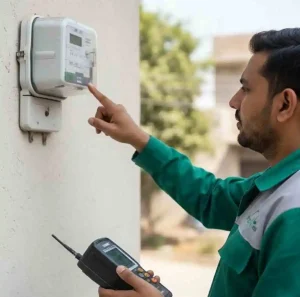
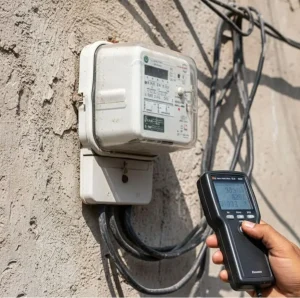
You can check your meter reading details with just a few clicks, or receive them directly via SMS or email. Getting your bill details at home through SMS or email is known as e-billing.
How to subscribe for a meter reading service?
You can subscribe to the meter reading service through two simple methods:
Registration Via SMS
To subscribe to the meter reading service via SMS, just follow the simple steps below:
Registration via website
To register for e-billing and check your GEPCO bill online, simply follow the steps below on the GEPCO website:
GEPCO Net Metering New System
GEPCO offers a Net Metering system that allows consumers to generate their own electricity through solar panels. Any surplus energy can be sent back to the grid, which helps in reducing monthly bills and even earning from the excess electricity produced.
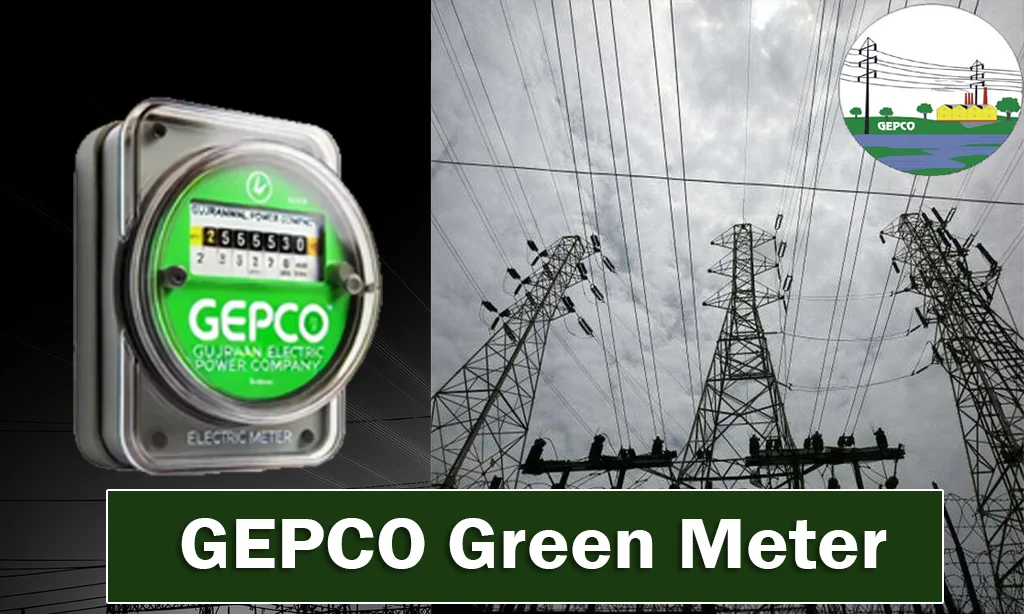
GEPCO Green Metering System
GEPCO has introduced the Green Metering system to eliminate billing discrepancies and provide consumers with accurate bill amounts including units consumed and applicable taxes. It ensures precise data collection, transparent billing and overall customer satisfaction.
GEPCO Peak Hours
GEPCO peak hours are the hours during which electricity demand is at its highest, especially in summer when heavy appliances like air conditioners and refrigerators are running continuously and putting a high load on the grid.
Peak hours are simply the time when electricity usage is much higher than normal. During these hours consumers are advised to reduce their electricity usage, particularly in the late afternoon and early evening.
In short, GEPCO peak hours are typically from 6:00 PM to 10:00 PM when electricity demand reaches its peak during the day. This is also why GEPCO Load Shedding is most frequent during these hours, as the grid struggles to meet the surge in demand.
GEPCO Peak and Off-Peak Hours
GEPCO off peak and on peak hours refer to the times when electricity demand is high but the supply available at the national grid station is relatively lower.
OFF Peak
All remaining hours outside of the above mentioned peak hours are considered as off peak hours.
Peak
5PM to 9PM from December to February
6PM to 10PM from March to November and September to November
7PM to 11PM from May to August
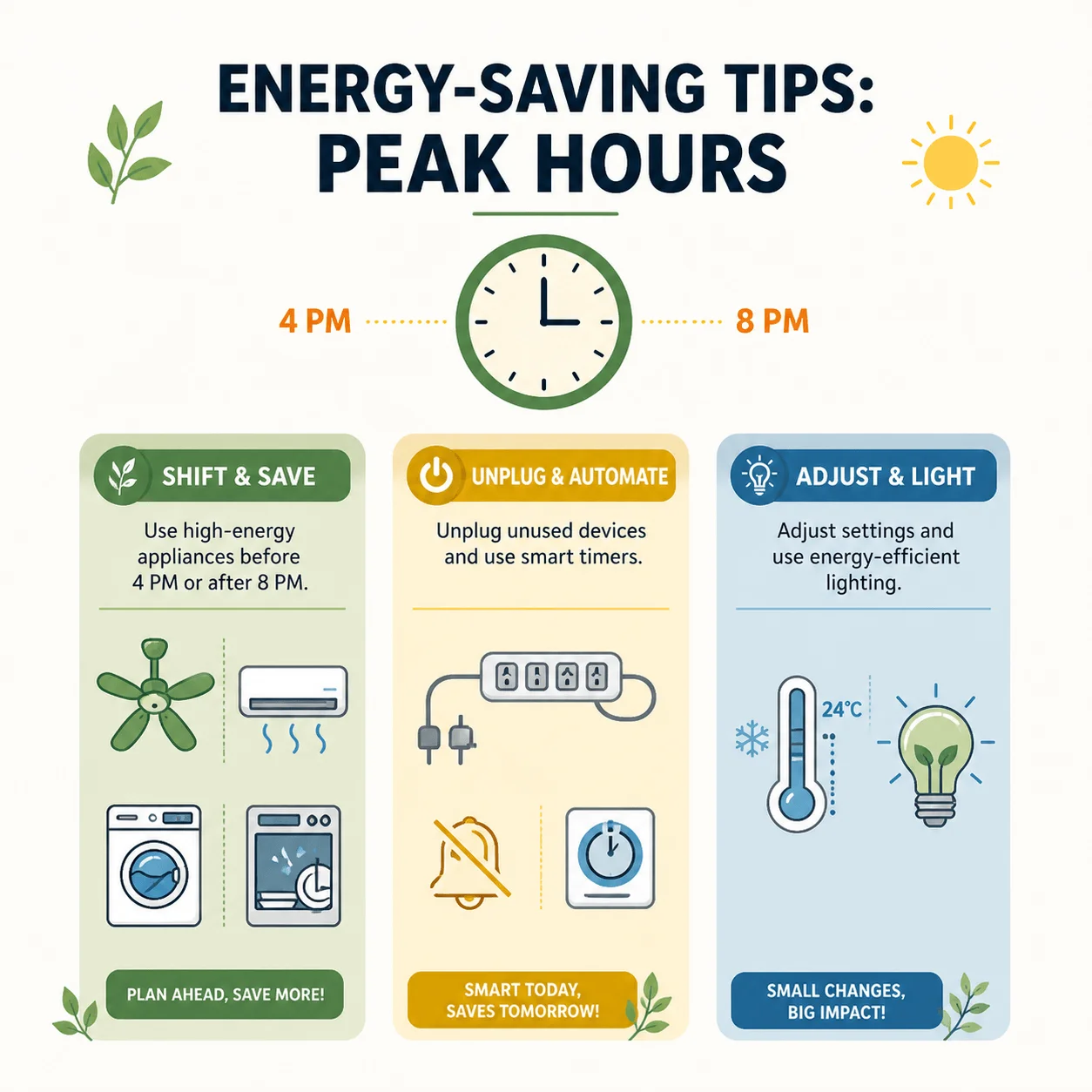
Tips to save electricity during peak hours
Here are some practical tips to save electricity during peak hours, typically in the late afternoons and early evenings:
Taxes on Your GEPCO Bill
GEPCO consumers are required to pay certain taxes on their electricity bills along with the price of units they consume:
- Electricity duty (1.5%)
- General Sales Tax (17%)
- Income Tax ( PKR 50)
- TV License Fee ( PKR 35)
- Fuel Price Adjustment
- Neelum Jehlum Surcharge
These taxes are included in your bill to fund various public service projects.
Benefits of Checking Bills Online
Checking your bill online comes with many benefits, some of them are listed below:
- Security
- Convenience
- Automatic Payments
- Bill Payment is secure
- Environment friendliness
- Cost savings
- Customer satisfaction
- Improved efficiency
Electricity Bill Information
1. Consumer Information
Consumer information includes the residential address and consumer number.
4. Due Date
The due date is the last date by which your electricity bill must be paid.
2. Billing Period
Billing period refers to the duration within which a bill is to be paid.
5. Total Charges
Total charges in a GEPCO bill include the cost of electricity consumed along with FPA and other applicable taxes.
3. Current Charges
It shows the total amount of electricity consumed during the billing period.
6. Other Details
Other details on the bill include meter reading, billing amount, due date and billing period.
Key Features, Benefits, and Work of GEPCO MIS
Here are the key features of GEPCO Management and Information System:
GEPCO Online Bill Calculator
GEPCO allows its consumers to keep track of their electricity consumption by calculating the exact amount they need to pay for the units consumed. The GEPCO Bill Online Calculator helps you estimate your bill amount before it even arrives at your doorstep.
Final Words
Checking your GEPCO bill online is now faster and easier than ever. Whether you want to view your GEPCO electricity bill, download a duplicate copy or pay your bill online, everything is available in just a few clicks. Simply enter your 14-digit Reference Number and get instant access to all your billing details anytime, anywhere.
Frequently Asked Questions (FAQ’s)
Find answers to the most commonly asked questions about GEPCO and its online services.