Check GEPCO Bill History 2026 | View past 12-24 Months Bill Instantly
Keeping a pile of paper receipts after every bill payment is not only messy but also frustrating when you need to look up billing details from a few months ago. GEPCO provides its consumers with a simple and hassle free way to check their complete billing history online without going through any paperwork.
You can check your GEPCO bill history anytime, anywhere with just a few clicks. This helps you easily access your past records, analyze your billing status and stay on top of your electricity expenses.
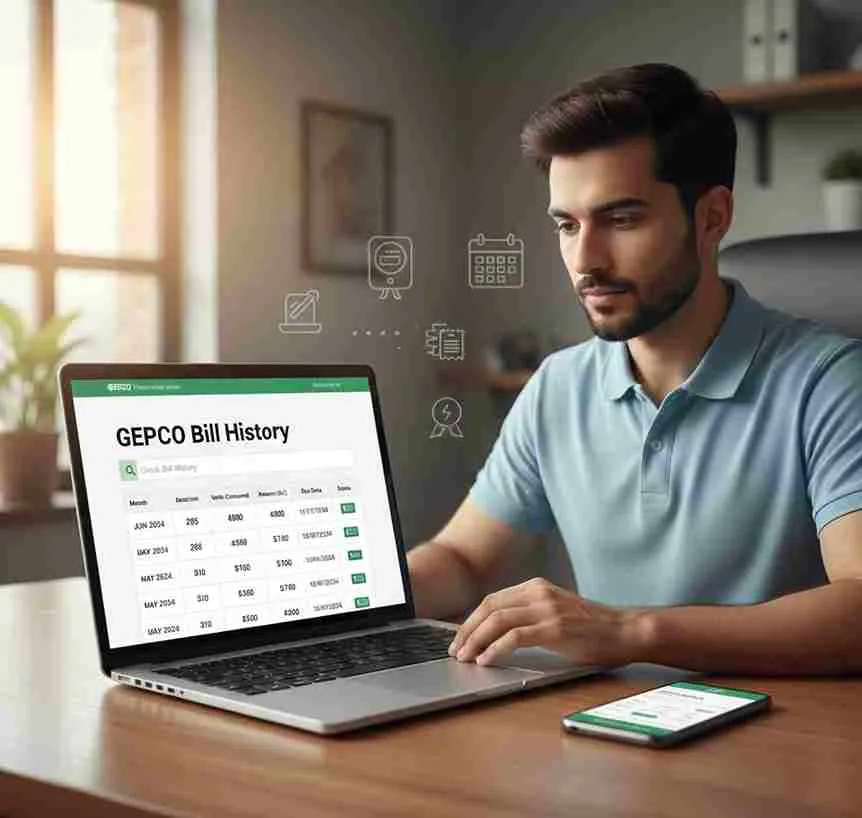
Why Should You Check Your GEPCO Bill History?
Keeping a check on your bill history is more important than most people think. It helps you track your billing amounts, monitor tax changes, identify any rise in unit rates and resolve billing disputes. It is also very useful for consumers who are planning to install a net metering system at their home, commercial or industrial setup.
Requirements for Viewing Your Bill History:
To check your GEPCO bill history online, all you need is your 14-digit Reference Number and the billing month you want to check. For example, if you want to view your bill history for May 2026, simply enter your Reference Number and select that specific month to get all the details. If you want to estimate your upcoming bill, try using the Bill Calculator alongside your bill history for smarter financial planning.
How to check your bill history online?
You can check your GEPCO bill history by following the simple steps mentioned below:
Step 1 Enter your Reference Number
Enter your 14-digit Reference Number in the input field above. You can also use your Consumer ID to identify yourself as a GEPCO consumer.
Step 2 Enter your Month you want to check for
Enter the month for which you want to view your bill history. This will help you track your units consumed, bill amount and other details for that specific month.
Step 3 Click on the View History Option
Once you have entered all the required details, simply click the View History button to instantly access your bill for that previous month.

Benefits of monitoring bill history
Viewing your bill history via gepconlinebill.pk isn’t just about keeping track over your past bills but also helps you decide the cost that you have spent on your electricity, the rise or fall in your electricity consumption overtime, and also help you decide the solar metering system will be beneficial for you or not. Here are some key benefits:
Identifying leaks or inefficiencies
By comparing your monthly units consumed, you can easily spot any sudden increase in electricity usage which may be caused by faulty or inefficient appliances that need to be replaced.
Better Budget Planning
Viewing your bill history helps you plan a budget friendly setup to manage heavy summer cooling loads and winter heating loads so you can allocate your funds more efficiently. If you need any assistance in understanding your bill patterns, the Gepco Helpline is always available to guide you.
Qualifying for rebates
Consistent monitoring helps you determine whether you fall under a protected or non protected tariff limit and what you will be charged for the next 6 months.
Integrating with smart metering
As Pakistan has shifted to AMI, bill history is a key tool to compare digital metering with traditional metering and understand the difference.
Understanding the Details of Your Bill History:
Your GEPCO bill history includes a complete overview of your billing cycles, units consumed over time, tariff changes and adjustments, bill payments made and any city or district level adjustments. Factors like Electricity Load Shedding can also impact your monthly consumption patterns, which will clearly reflect in your bill history over time. It simply helps you keep track of whether your consumption is increasing or decreasing over time and how it is impacting your overall billing costs.
Common Issues With Accessing Bill History:
Some consumers face trouble while checking their GEPCO bill history. These issues are usually minor and easy to fix. Here are the most common ones:
No history found errors
This error usually appears when your connection is very new with only 1 to 2 billing cycles completed, or the reference number belongs to a recently transferred connection. It can also appear if you are searching for history older than 12 months as GEPCO only provides billing history for the last 12 months.
Incorrect information
This error occurs when you enter an incomplete reference number, wrong consumer name, incorrect units or wrong address. Always double check your details before submitting.
Portal downtime
Sometimes the portal may show loading errors like a 503 error due to high traffic. In such cases simply wait a few minutes and try again.
No reference found
This error means the reference number you entered is not accurate. Simply recheck your reference number and enter it again correctly.
Tips for Organizing and Analyzing Your Bill History:
Here are some simple ways to organize and keep track of your GEPCO bill history:
Final Words
Checking your GEPCO bill history online is a smart and simple way to stay on top of your electricity expenses. Whether you want to track your monthly consumption, resolve a billing dispute or plan for a Gepco Meter New Connection with solar metering system, your bill history has all the answers. Just enter your Reference Number and billing month to access your complete history within seconds.
Frequently Asked Questions (FAQ’s)
Find answers to commonly asked questions about GEPCO and it’s online services.